You already know
what time you
should go to bed.
SleepEarly is the part after that. It holds you to the hour you picked, wakes you with an alarm you cannot wave away, and keeps a record of every night you kept — on your phone, and nowhere else.

The alarm
Stop it, and it comes back in ten seconds.
Every alarm app has the same hole in it: you press the button while you are still asleep and the morning is over. This one treats Stop as a question rather than an answer.
It keeps coming back until you have done the one small thing you chose the night before. No cap, no timer — and it ends the moment you get up, which is the only thing it ever wanted.
06:30 → stop → 06:30:10 → stop → …

The morning
One small thing, before the day starts.
Twenty-four of them — open the curtains, three sums, seven press-ups, a glass of water, a verse out loud. You pick tomorrow's tonight, while you are still awake enough to choose.
Some of them the app can actually check. It counts your press-ups, watches you drink the water and sees you dance through the camera, on the phone, with nothing recorded and nothing sent anywhere.

The evening
An hour before bed, the app gets quieter.
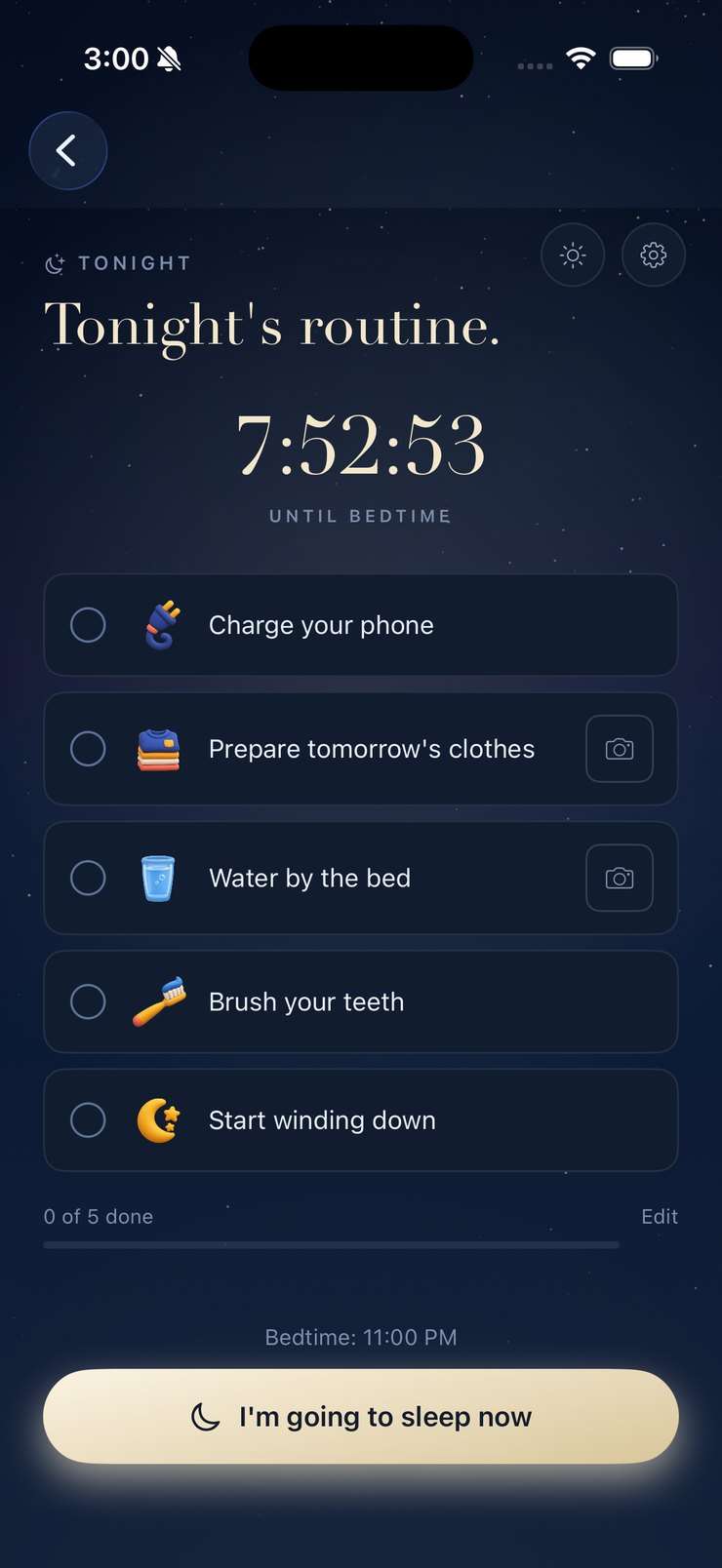
A short routine — phone on the charger, clothes out, teeth, lights down — with a countdown on your Lock Screen and three reminders you can turn off one by one. It is trying to get you off your phone, so it says what it needs to and stops.
The record
A book, not a graph
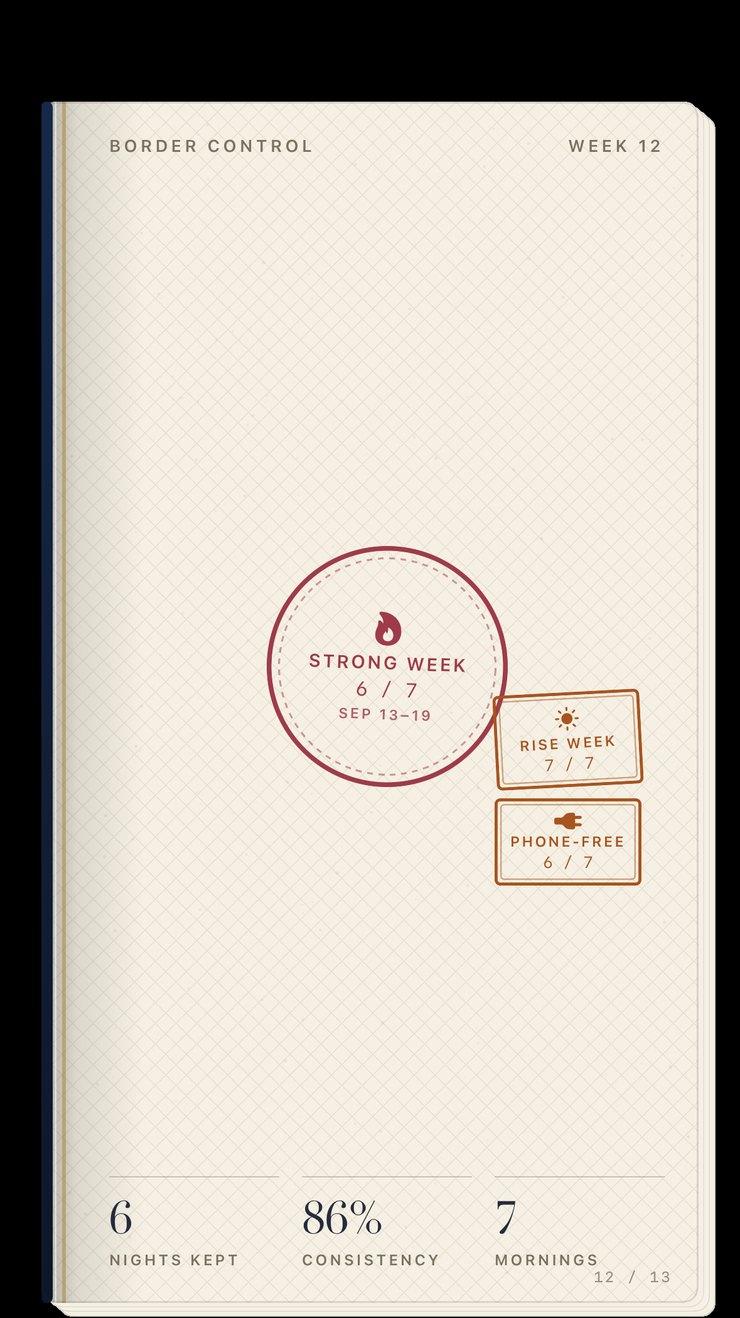
Every week gets a page and a stamp — including the bad ones. A rough fortnight leaves a mark rather than a hole.
Ten rungs, one ladder
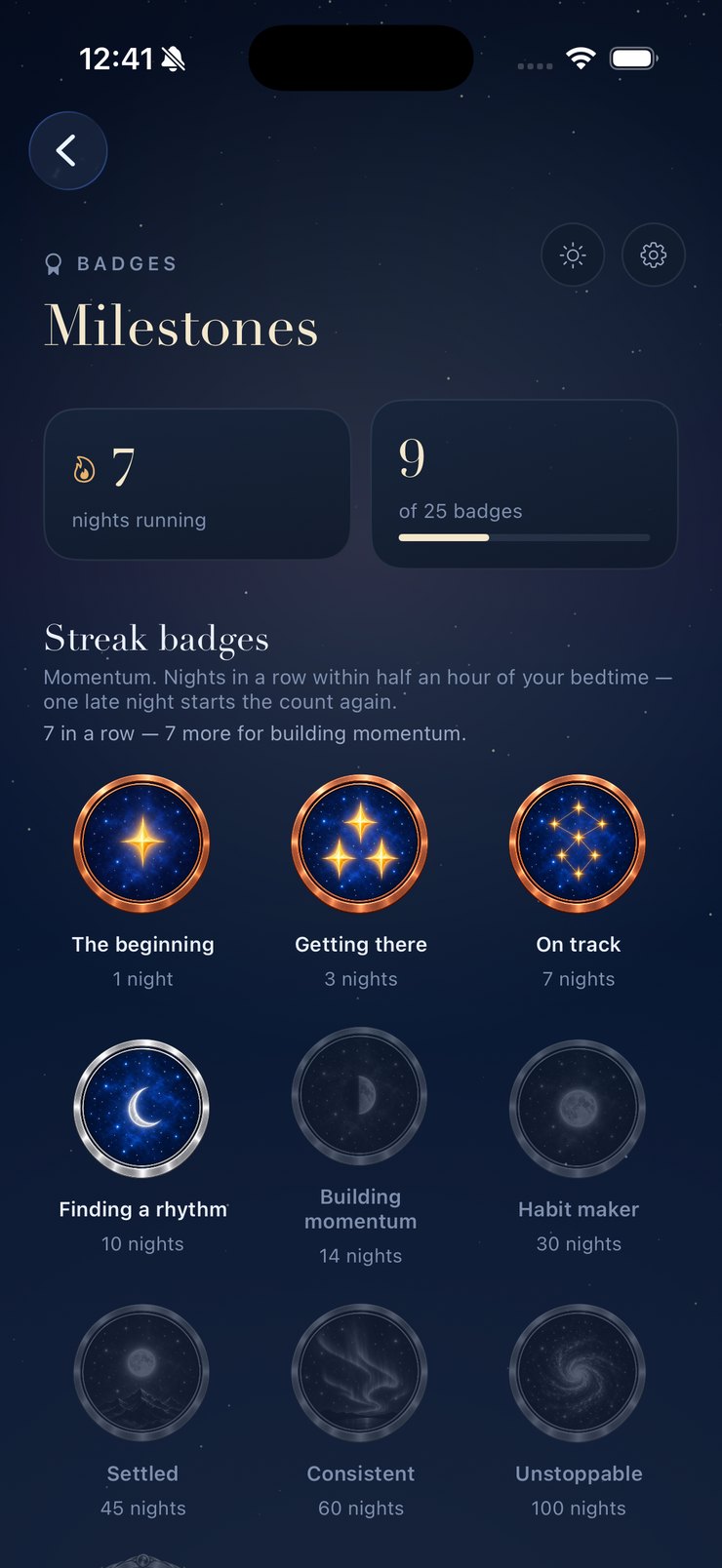
One night, three, seven, ten, fourteen, thirty, forty-five, sixty, a hundred, and a year. Copper to gold.
Chapters, not levels
The journey only goes forward. A late night breaks a streak; it never takes a chapter back off you.
Privacy
Your nights never leave your phone.
There is no account to make and no server holding your bedtimes. The log lives on the device, deliberately, and the app is built around that rather than apologising for it.
A photograph of a finished mission is kept until morning and then deleted. And because nothing is on a server, you can take the whole record out as a spreadsheet or a backup file whenever you like, and put it back on a new phone.
Nothing to sign up for
Open it and set a bedtime. There is no account to make and nothing to sign in to.
Yours to take
Export every night as a spreadsheet, or a full backup you can import again.
Health, honestly
It can add your nights to Apple Health as time in bed — never as sleep, because it has no way to measure that.
What it costs
Free, and the rest.
The bedtime, the reminders and your nights are free and always will be. The extras are one purchase or one subscription — the yearly plan starts with three days free, and there is a Lifetime option because not everybody wants another subscription.
Free forever
- Your bedtime and wake time
- All three evening reminders
- The five-mission wind-down
- Every night you record, and the morning read
- This week's report
- All six bedtime textures
Support
Something not working?
Write to support@sleepearly.co. A real person reads every message.
It helps to send the app's diagnostics with it: in Settings, tap the version line at the bottom five times, then Send this to the developer. It shows the app version, your phone model and the state of the alarm, and never your nights, and you see all of it before it goes.
To cancel a subscription, open Settings on your iPhone, tap your name, then Subscriptions. Refunds are handled by Apple through reportaproblem.apple.com.
You didn’t change overnight. You changed one night at a time.
iPhone · iOS 26